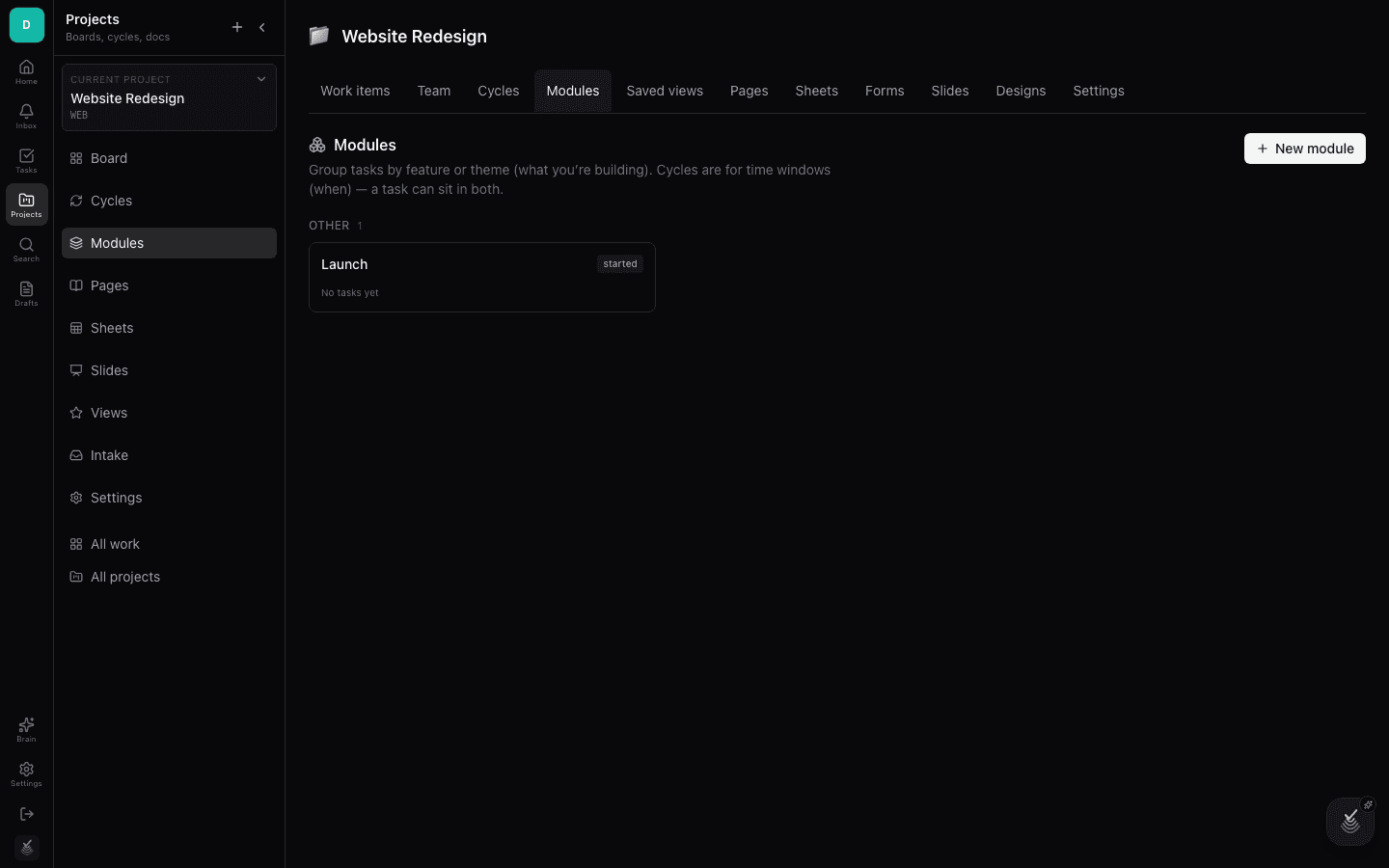
Projects and views
A project is where real work happens. The tab bar at the top switches between Work items, Team, Cycles, Modules, Saved views, Pages, Sheets, Forms, Slides, Designs, and Settings.
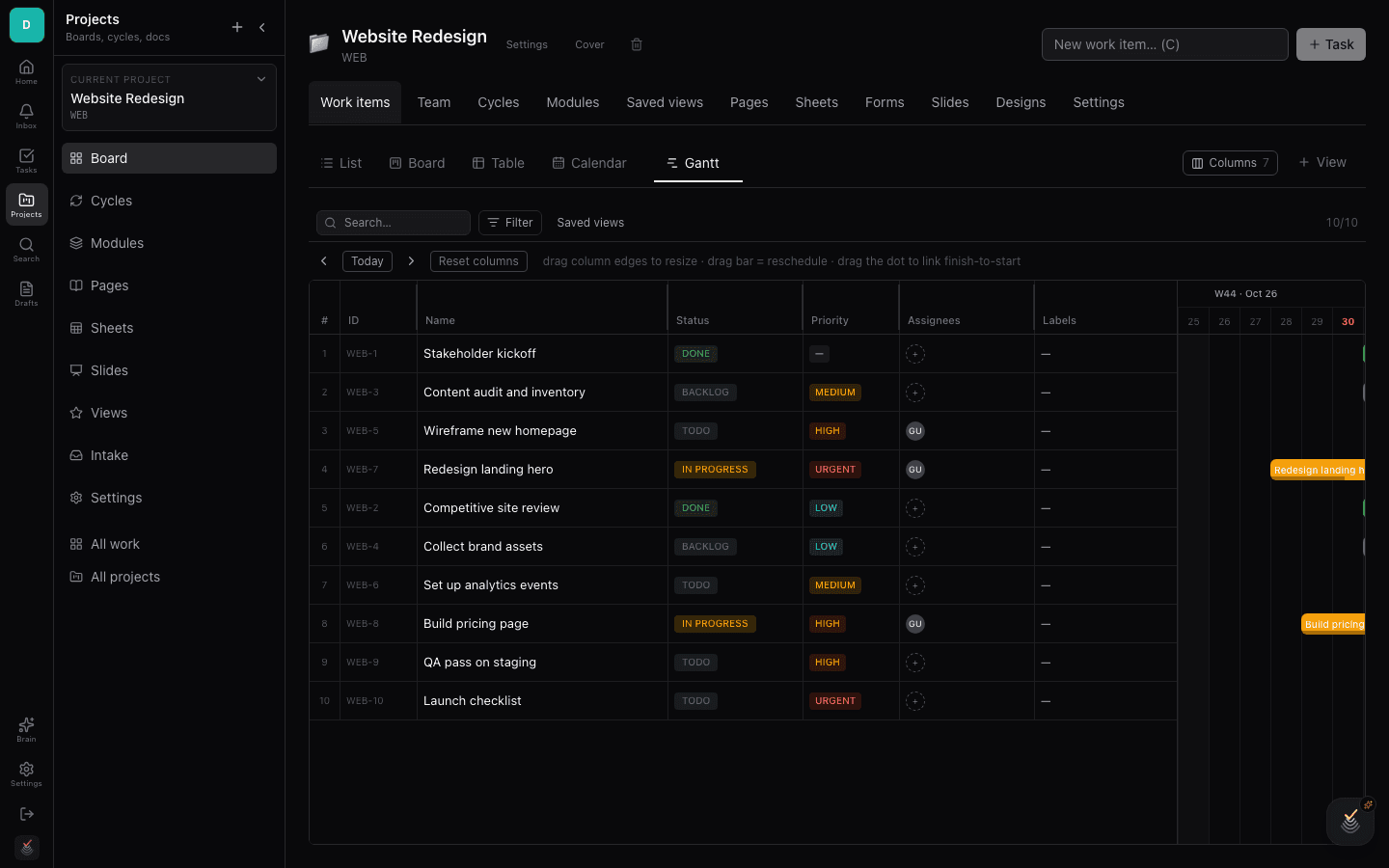
Work items are the heart of a project, and DoneNest lets you look at the same items through many lenses: List, Board, and Table are always on, and you can pin extra views like Calendar, Gantt, Timeline, Mind Map, Workload, Activity, Dashboard, Whiteboard, Doc, and Brain from the add-view menu.
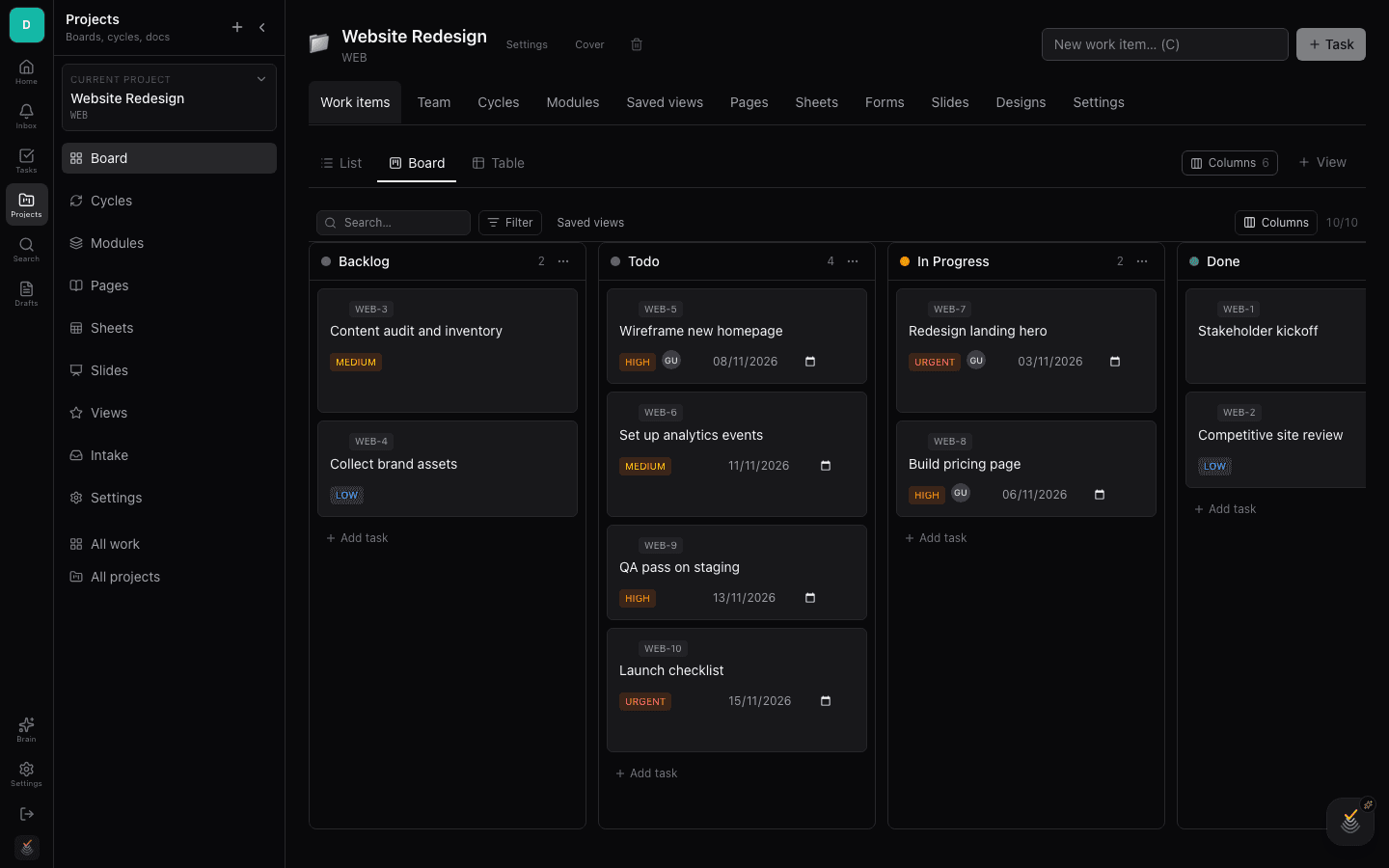
Board view
Board groups work items into columns — typically by state such as Backlog, In progress, and Done. Drag cards between columns to change state, or between groups when the board is grouped by assignee or priority.
Board is the default for teams that think in flow: standups, kanban, and triage all happen naturally here.
List and Table views
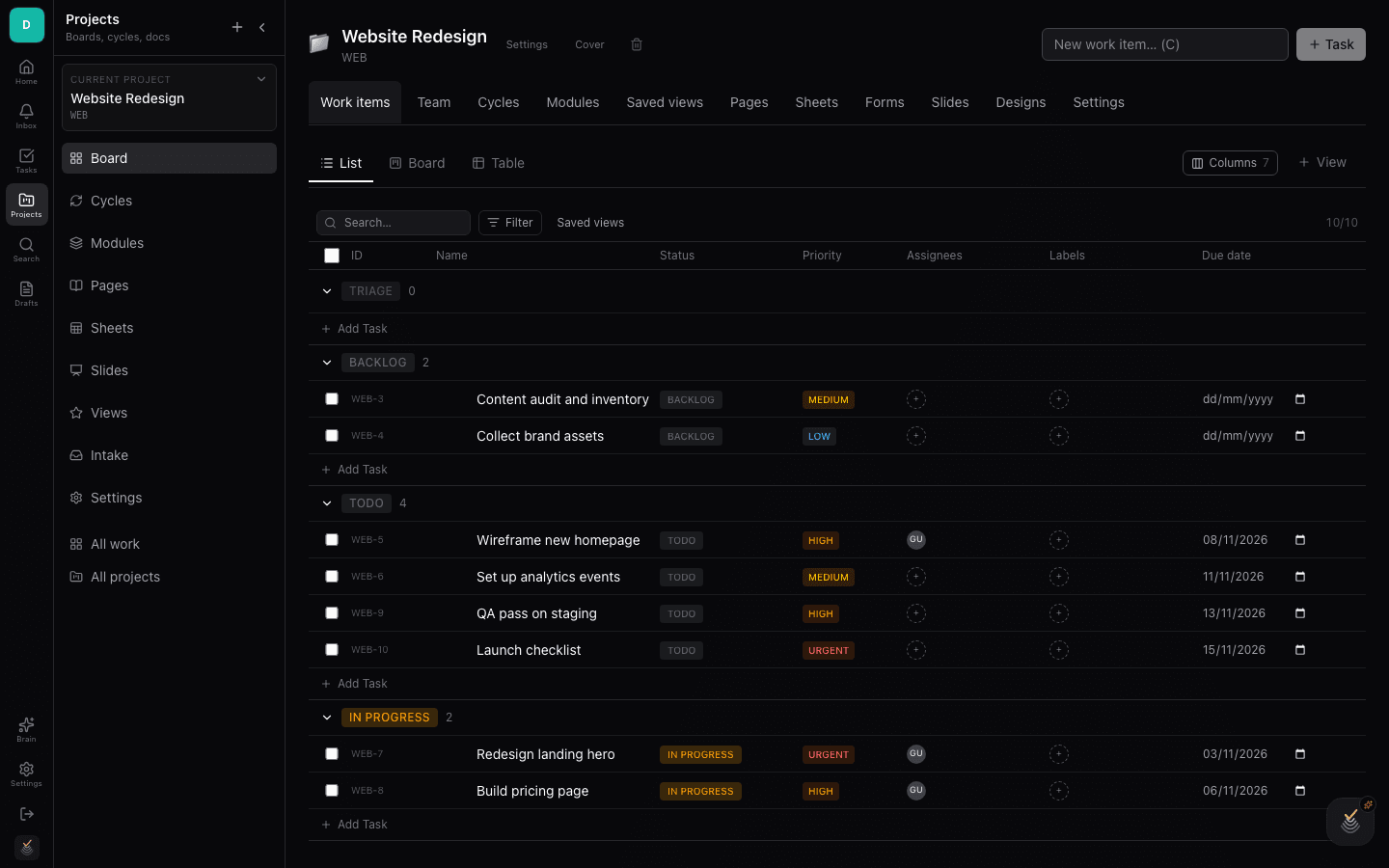
List is a flat, ordered view of work items — good for scanning priorities top to bottom. Table exposes the same items as a spreadsheet-like grid where every property is an editable column.
Use the display-properties menu to choose which columns the table shows, and the sort controls to order by date, priority, or estimate.
Calendar view
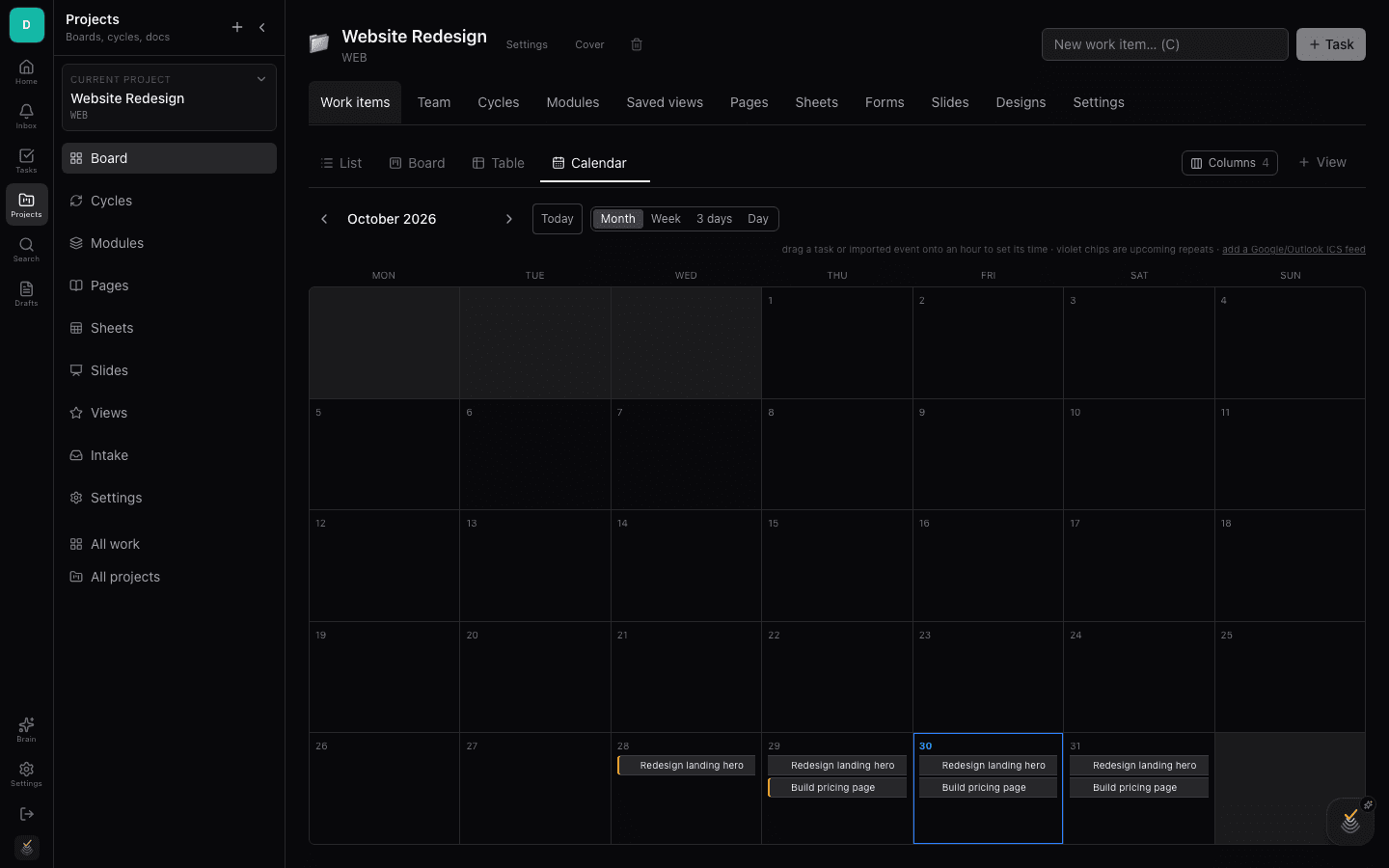
Add the Calendar extra to see work items placed by their dates on a month grid. It answers the question a board cannot: what lands when.
Items with a start and due date span across days. Click any item to open it without leaving the calendar.
Gantt, Timeline, and more
Gantt draws items as horizontal bars over time for dependency-aware planning; Timeline lays work along a linear axis for sequencing. Mind Map turns the item tree into a radial map, Whiteboard gives a free-form canvas, and Workload, Activity, and Dashboard report on the team and the project's health.
All extra views read the same underlying work items — switching views never copies or forks your data. Remove a view any time from its tab menu.
Cycles
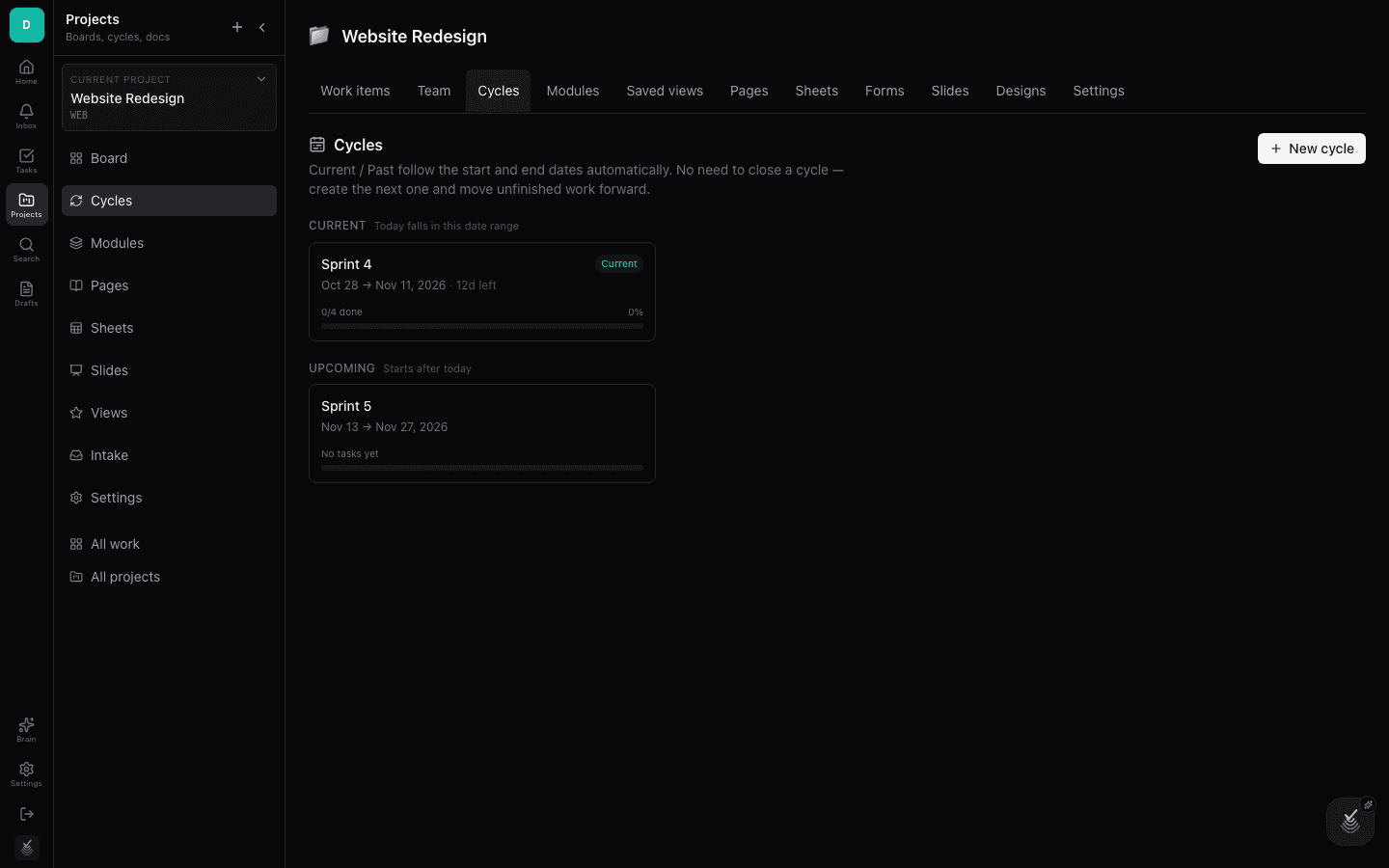
Cycles are time-boxed iterations — sprints — inside a project. Assign work items to a cycle to commit the team to a scope for that period, then watch progress burn down as items move to done.
The Cycles tab lists past, current, and upcoming cycles with their completion state.
Modules
Modules are reusable groupings of work items that cut across states and cycles — think features, epics, or workstreams. A module collects its items, shows rolled-up progress, and gets its own page for notes and links.
Use modules when the team needs a durable grouping that outlives any single cycle.